Join the free beta

For lighting designers

It does not replace you. It covers the nights you are not there.

You design the rig and the look; Vaib runs it, live, on the Tuesdays and the second rooms and the support acts nobody budgeted for. Everything it decides is visible, everything you set by hand wins, and every change is one undo away.

Free beta, open now. Mac first, Windows in about a month. A year free after launch for testers.

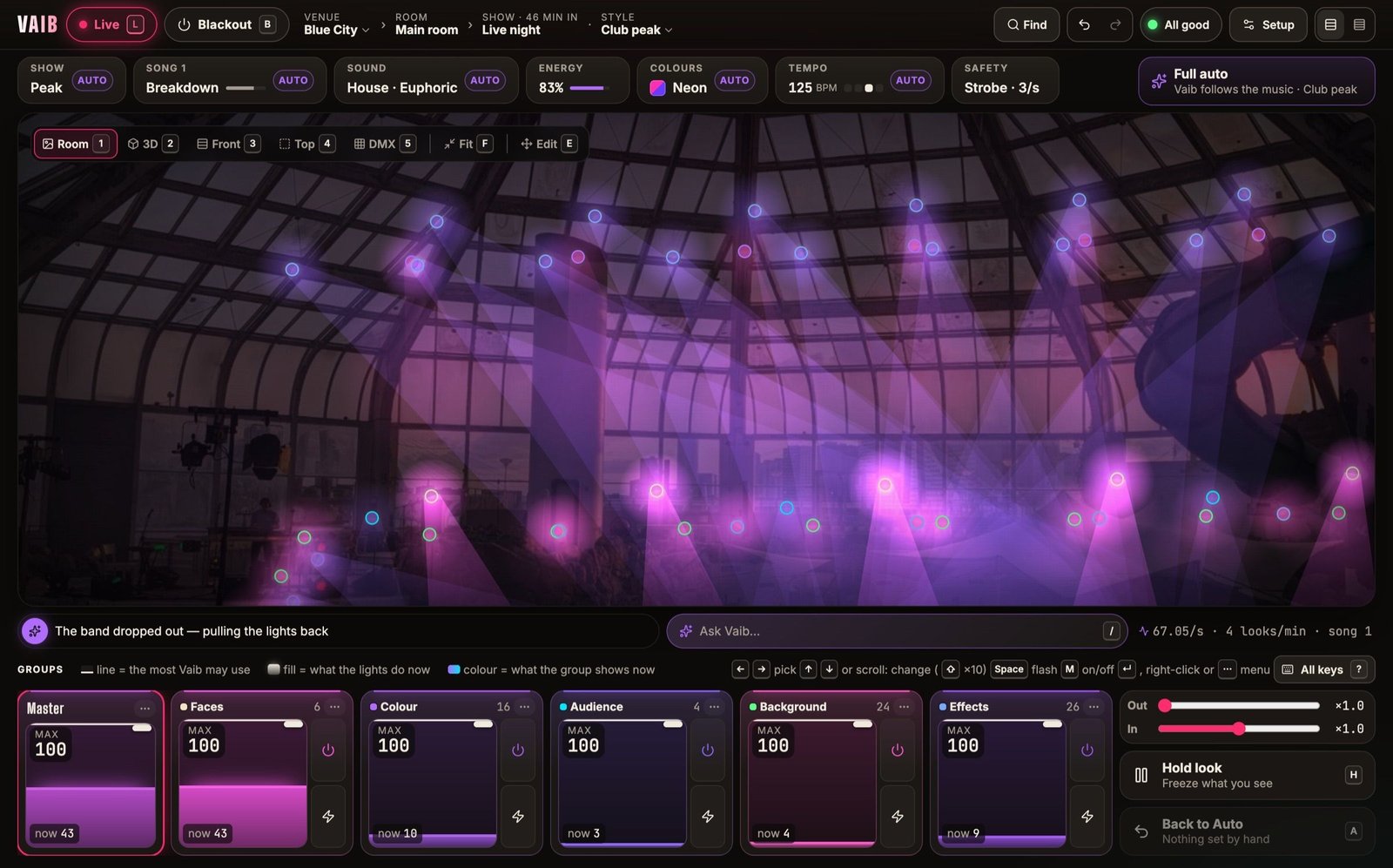
The Vaib desk at Blue City as the music thins out: the dome dimmed to violet and the line reading “The band dropped out — pulling the lights back”.
Blue City as the band drops out: “The band dropped out — pulling the lights back”.

Big rigs

Seventy-six lights, six universes, one afternoon.

Add fixtures in batches — maker, model, mode, how many, universe — from the built-in library or any Open Fixture Library or GDTF file, and Vaib runs the addresses on. See the patch grouped by job, as a list in address order, or as a DMX map with every light’s channels in its job’s colour, clashes marked.

  • Moving heads, washes, blades, strobes, pars
  • sACN, Art-Net (Net:Sub:Universe), USB DMX
  • Channel check holds one channel at half — it never flashes
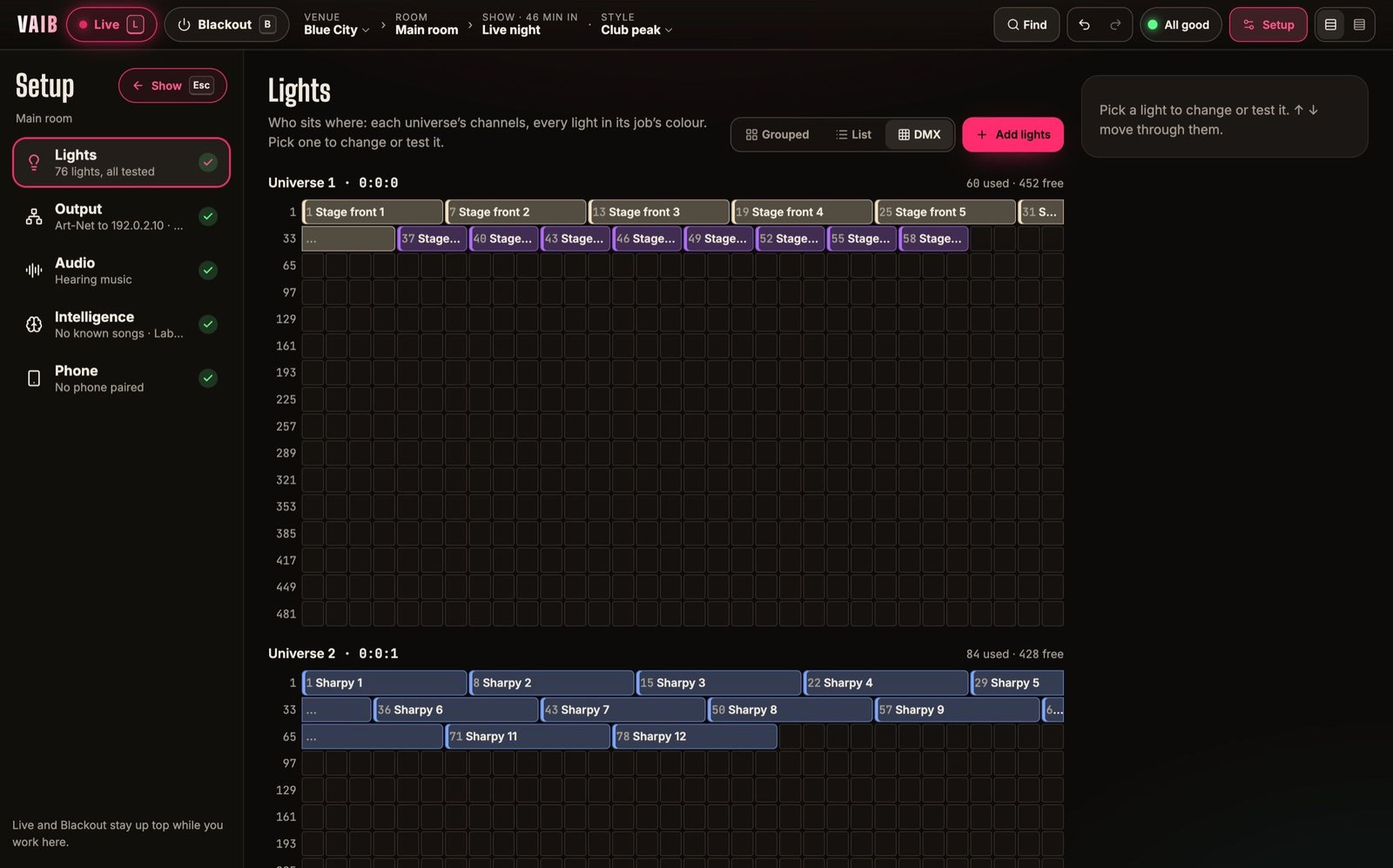
Setup › Lights › DMX at Blue City: each universe drawn as a grid of channels with every light’s run labelled and coloured by its job.
Setup › Lights › DMX at Blue City: universe by universe, every channel accounted for.

Where it hangs

Line the room up once. Aim from the view.

Take a photo from where the audience stands and drag four crosses onto the stage’s corners; every light is then drawn on the photo from its one position in the room. Switch between the photo, 3D, front, top and DMX views; in Edit, drag lights, set heights, group them, and set where each one lands.

  • Where a light points steers its part in the scene
  • A Min and a Max per light
  • Several lights at once in every view
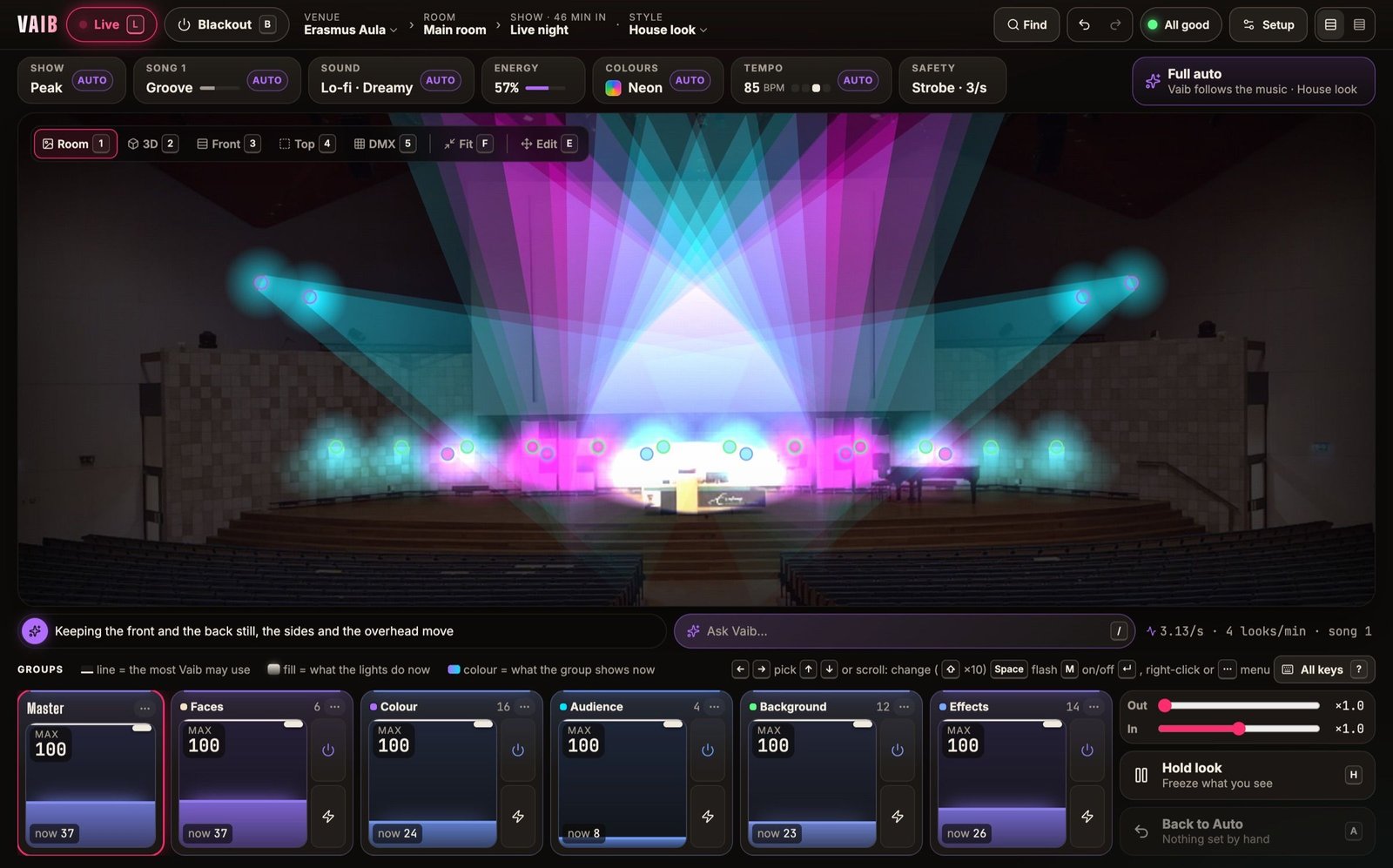
The Vaib desk, Live at Erasmus Aula: a photo of an auditorium stage lit violet by beams from a truss of moving lights, with the show controls above and six group strips below.
Erasmus Aula, 52 lights on four universes: the truss as drawn from one photo.

Auto and by hand

See what Vaib decides. Override exactly what you mean.

Every pill says whether it is Auto (violet) or set by hand (cyan). Each group strip shows two things at once: the most Vaib may use, and what the lights are doing now. Hold freezes the look; Back to Auto hands it back at the next phrase. The line under the view says what Vaib is doing and why.

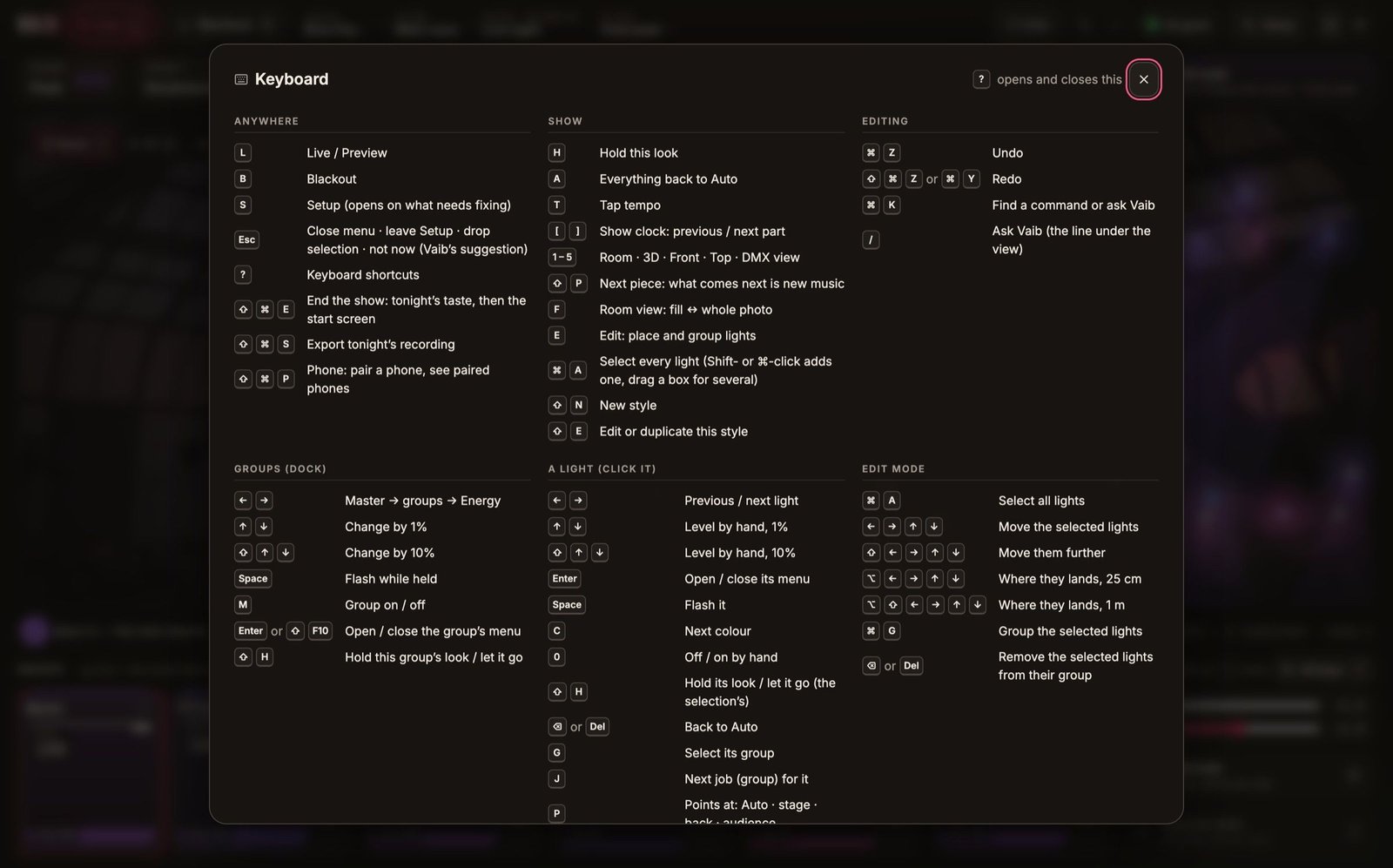
  • Keyboard for everything — ? shows every key
  • Scroll over any value to change it
  • Undo and redo for every change
The keyboard sheet over the desk: shortcuts for Live and Blackout, the Show screen, the group strips, a picked light and Edit mode.
The keyboard sheet, generated from the same list the desk runs on.

Restraint

It knows when to do nothing.

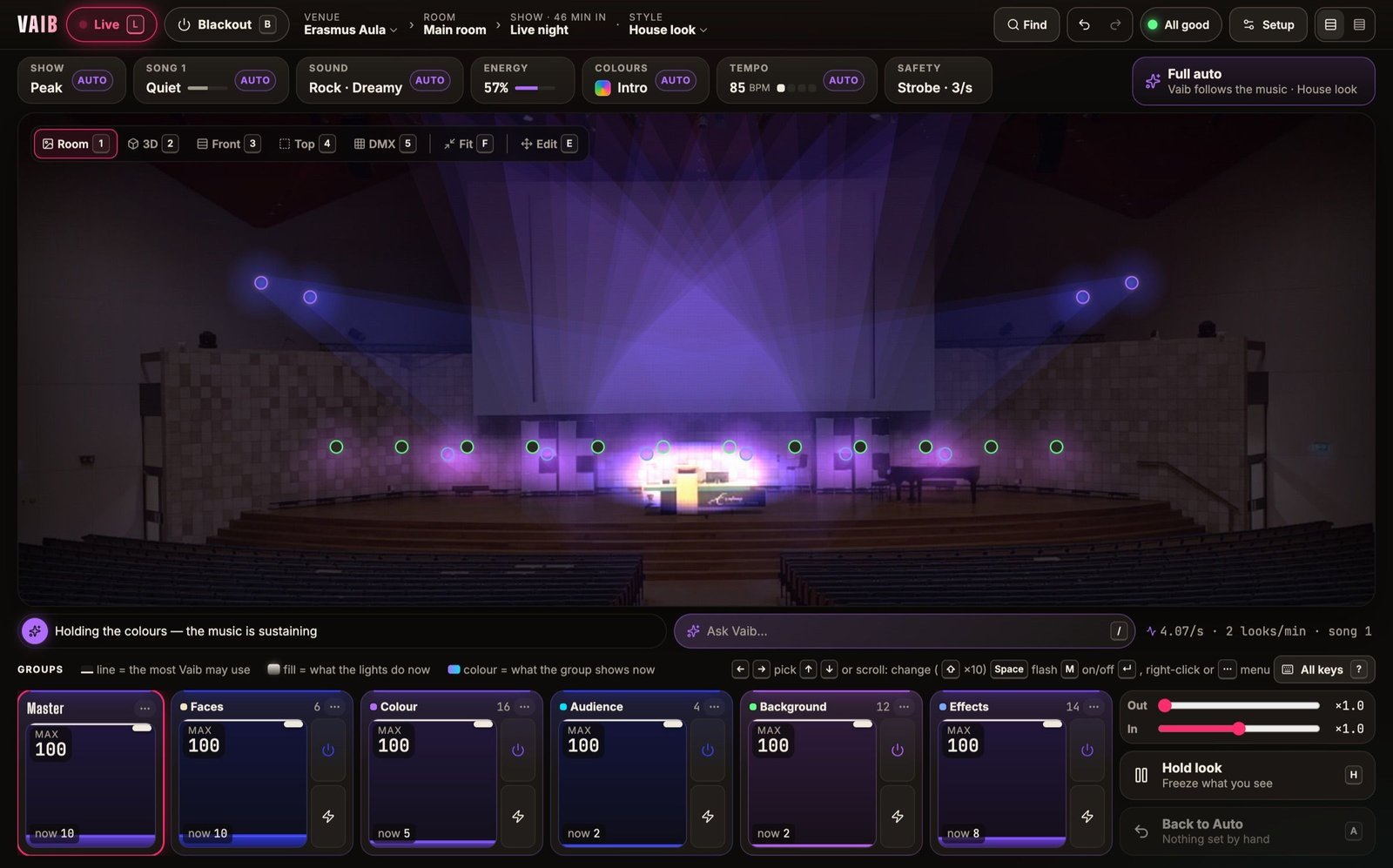
Each section decides which lights hold, which move and which wait for hits, inside a brightness budget. Looks change at phrase ends, not mid-line; a beatless passage breathes under the eye’s threshold instead of fidgeting. The quiet frames are designed, not leftovers.

The Vaib desk at Erasmus Aula in a quiet passage: only a few blue lights glow on the stage, and the line under the view reads “Holding the colours — the music is sustaining”.
The Aula in a sustained passage: “Holding the colours — the music is sustaining”.

For the people who will open the hood

Recordings

Every night is kept as the numbers the engine ran on, never sound. Export one and replay it through any version of Vaib to compare.

Real-time budget

Deciding and rendering a frame takes a fraction of a millisecond on our bench, against a budget of 4 ms on a 2020 MacBook Air. DMX goes out at 30–44 Hz per universe.

Local AI, bounded

Models propose typed changes; a validator checks them; the intent bus applies them with role and safety gating. A model never writes DMX.

Predictable

Same input, same output. Randomness is seeded and recorded; a named look always looks the same when called.

Lab switches

Experimental features — drop anticipation, perceptual colour, mood from the music — are off per room until a Manager turns them on.

Another source on the universe

If a console or a second desk starts sending to your universe, Vaib names it, its address and its sACN priority against Vaib’s, within about two seconds.

Free tool

Roughing out a rig for a client? Do it in the browser.

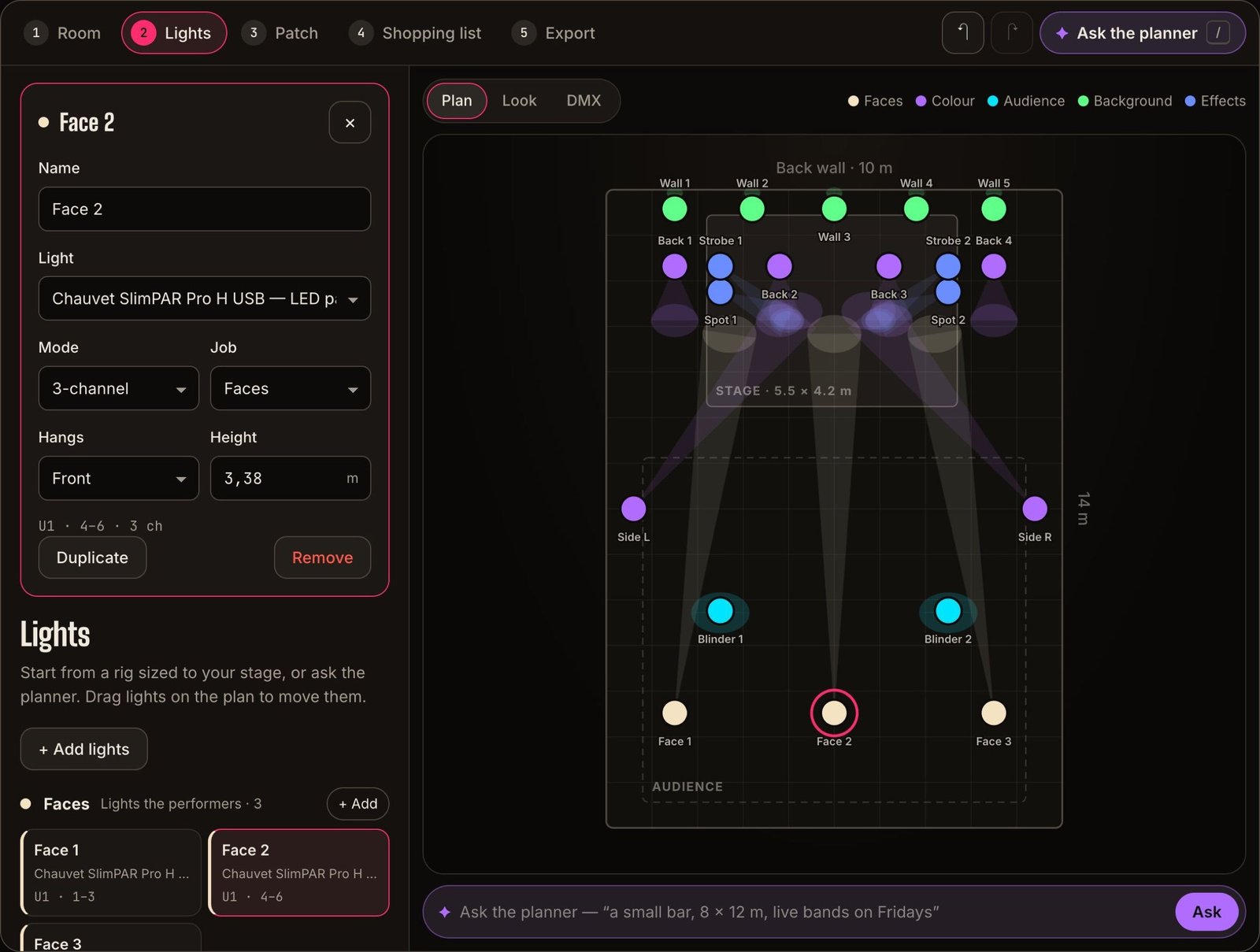
Lay lights out on a plan, get the DMX patch and a budget, print it — and hand the client a file their Vaib imports with every profile and address.

  • No account
  • AI planner
  • Shopping list with prices
  • Exports to Vaib
Open the free planner →
The free lighting planner: a 10 × 14 m room seen from above with twenty lights coloured by job — wall uplights, back washes, spots, side lights, blinders and face lights — and the picked light’s model, mode, job, height and DMX address on the left.

Questions

What people in your seat ask.

Something not here? Email us — a person replies.

Will this put lighting designers out of work?
It is aimed at rooms that never hire one: the bar on a Tuesday, the church hall, the second room, the support act. Where a designer is hired, Vaib is a tool — patch faster, carry the nights you are not there, and leave the room with a house look you made.
Can I program cues?
Not as the default path — cue lists are exactly what Vaib exists to avoid. You steer with Styles, Hold, group levels, a Min and a Max per light, and plain-language requests — and every one of them is one undo step.
How does it handle moving heads?
Movers are turned to where they are aimed in the room, and where a light points decides what it lights in the scene. Pan and tilt are held safe during channel checks.
Can I see why it did something?
The line under the view says what Vaib is doing and why — “keeping the front and the back still, the sides and the overhead move” — and every pill shows whether it is Auto or by hand. A recorded night can be replayed and compared frame by frame.

Free beta — open now

Try it on your own rig. The beta is free.

Request a place and we send you the Mac app, help you patch your first room, and listen to what you think. Run real nights with it before it opens properly.

  • Mac now · Windows in about a month
  • Free while it is in beta
  • A year free after launch for testers